Page 1 of 1
Silent installation of SDR-Radio not possible
Posted: Fri Jul 14, 2023 11:08 am
by OK2VLK
Hello all!
Silent installation/automated deployment of the current SDR-Radio does not seem to be possible because it looks like that its installer always displays this info message:
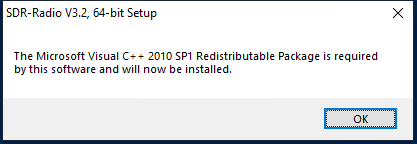
- vcredist.png (5.45 KiB) Viewed 3505 times
It happens even if the
actual 64-bit vcredist package is already installed on the system.
Is there any way to fix/workaround this issue?
Thanks!
Regards,
Daniel OK2VLK
Re: Silent installation of SDR-Radio not possible
Posted: Mon Jul 17, 2023 4:13 pm
by Max
OK2VLK wrote: Fri Jul 14, 2023 11:08 am
Hello all!
Silent installation/automated deployment of the current SDR-Radio does not seem to be possible because it looks like that its installer always displays this info message:
vcredist.png
It happens even if the
actual 64-bit vcredist package is already installed on the system.
Is there any way to fix/workaround this issue?
Thanks!
Regards,
Daniel OK2VLK
Never seen this one myself. Simon may be along soon to comment, but from past experience with other software, just having the latest redistributable is not always what's needed. May need some particular component of that exact version of the Redistributable. I'd just go ahead and install it then I think you will find it shuts up. I've never had an issue with doing that. Just let it do its thing!
73
Max
Re: Silent installation of SDR-Radio not possible
Posted: Thu Jul 27, 2023 2:00 am
by OK2VLK
Sure, when doing standard installation, it is not a problem to confirm the vcredist installation. However, when doing automatic deployments or using tools like WinGet / Chocolatey, the installer needs to respect the silent installation switches otherwise the installation cannot continue.
Re: Silent installation of SDR-Radio not possible
Posted: Tue Oct 31, 2023 5:38 am
by Simon G4ELI
Sorry, silent installation cannot be guaranteed.
Re: Silent installation of SDR-Radio not possible
Posted: Tue Oct 31, 2023 6:33 am
by Simon G4ELI
OK2VLK wrote: Thu Jul 27, 2023 2:00 am
Sure, when doing standard installation, it is not a problem to confirm the vcredist installation. However, when doing automatic deployments or using tools like WinGet / Chocolatey, the installer needs to respect the silent installation switches otherwise the installation cannot continue.
I just checked the installed script, a couple of Message Boxes did not have the silent installation option. Future kits should be OK.