Page 1 of 1
Auto open with computer boot
Posted: Tue Jun 18, 2024 2:08 pm
by gfmucci
I don't recall setting Console this way, but what is the setting that causes SDR Console to open when the computer boots up? Not sure if that setting is in Windows or SDRC.
Re: Auto open with computer boot
Posted: Tue Jun 18, 2024 4:39 pm
by KA1GJU
I don't think there's an option in SDRC, but you can add a shortcut to SDRC in the Windows startup folder.
In W10, it's here:
C:\ProgramData\Microsoft\Windows\Start Menu\Programs\StartUp
Or hit the Widows flag button on keyboard and the letter "R" at the same time and enter the following:
shell:common startup
Then right click, New, Shortcut, and place the shortcut for SDRC ib there.
Other OS you will have to Google it for I'm a W7 ad W10 user for now.
73 Kriss KA1GJU
Re: Auto open with computer boot
Posted: Wed Jun 19, 2024 3:36 pm
by gfmucci
Thanks Kriss. SDRC started opening automatically on reboot, and I don't want it to. I don't know where that setting is to reverse it. Does the image help?
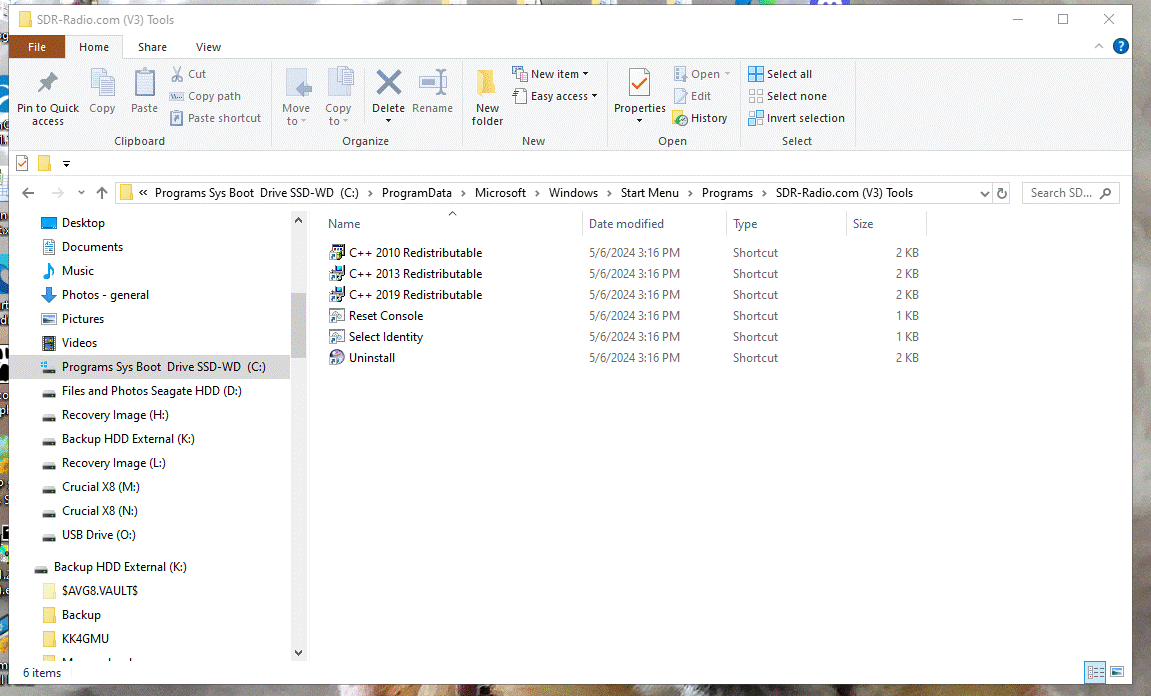
- SDR auto open.gif (92.83 KiB) Viewed 5509 times
Re: Auto open with computer boot
Posted: Wed Jun 19, 2024 8:39 pm
by WB2ZXJ
SDR Console Startup options?
Barry
WB2ZXJ
Re: Auto open with computer boot
Posted: Wed Jun 19, 2024 11:29 pm
by gfmucci
Barry, that's it! I'll put that in the "if it was a snake it would have bit me" category. Thanks!
Re: Auto open with computer boot
Posted: Fri Jun 21, 2024 12:43 am
by KA1GJU
Same here, never knew that existed. lol